Insights
What Is a Digital Menu? The Complete Guide for Restaurant Owners in 2026
A digital menu lets guests browse your menu on their phone by scanning a QR code. See how QR menus work, what they cost, and why restaurants switch in 2026.
Updated: November 26, 2026
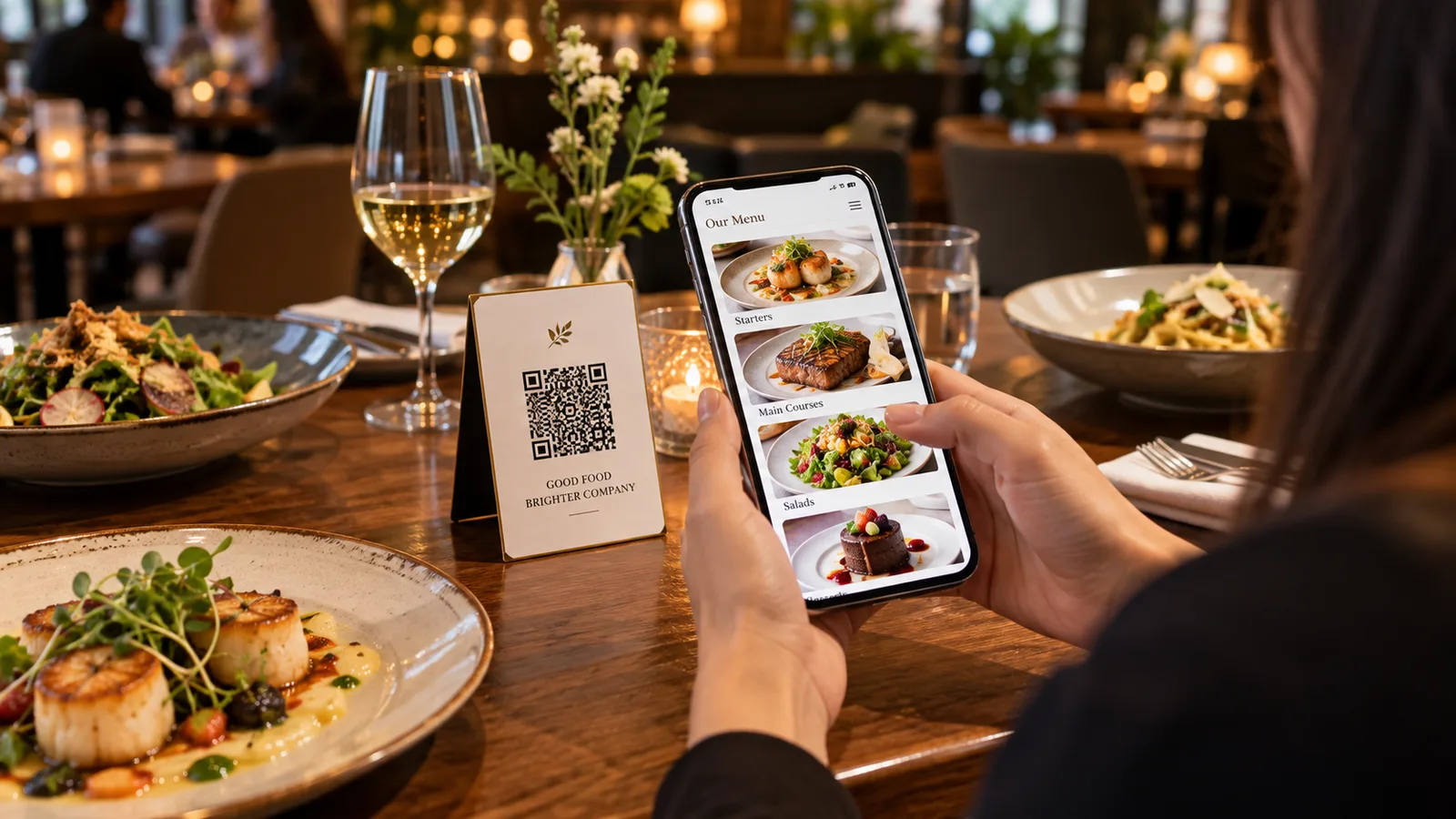
A digital menu is a restaurant menu published on a screen instead of paper, most often opened by scanning a QR code on the table and read in the guest's own phone browser. It can also run on a tablet handed to the guest or on a digital menu board above the counter. Unlike a printed menu, it can be updated in seconds, shown in several languages and measured.
If you have scanned a QR code at a restaurant table in the last few years, you have used one. For restaurant owners, though, the term covers much more than a PDF on a phone screen. This guide explains what a digital menu means in practice, the main types, how to digitize your menu, what it costs and how to choose a provider.
What is a digital menu?
A digital menu is your restaurant's menu published online or on a screen. In its most common form, guests scan a QR code on the table and the menu opens in their phone's browser. There is no app to download and nothing to print.
Modern digital menus go further than a static page. They show dish photos and videos, let you change prices in seconds, translate themselves into your guests' languages, display allergens and collect feedback after the meal. That is the difference between a "QR PDF" and a real digital menu platform. If you are weighing those two options, our guide to PDF menus versus web menus explains why the format matters for search and AI assistants too.
What are the types of digital menus?
"Digital menu" is an umbrella term. In restaurants it usually means one of three formats:
Type | Where guests see it | Hardware needed | Best for | Main limitation |
|---|---|---|---|---|
QR code menu | Their own phone, in the browser | Printed QR codes only | Table-service restaurants, cafes, hotels, tourist areas | Guests need a phone with a camera and a data or Wi-Fi connection |
Tablet menu | A tablet placed on or brought to the table | One tablet per table or per section, chargers, cases | Upscale or high-concept venues that want a guided, visual experience | Purchase, cleaning, charging and theft or damage risk |
Digital menu board | A screen on the wall or above the counter | TV or commercial display, media player, mounting | Quick-service, counter ordering, coffee shops, food courts | Shows a limited number of items; not readable from every seat |
Many venues combine them: a menu board above the counter for quick decisions and a QR menu for the full list, photos and allergen details. A QR code menu is the cheapest to start with, which is why it has become the default meaning of "digital menu" for most table-service restaurants. Our QR code menu guide covers that format in depth.
How does a QR code menu work?
You upload your dishes, prices and photos to a digital menu platform.
The platform generates a QR code that links to your menu.
You print the QR code once and place it on tables, the counter or the door.
Guests scan it with their phone camera and the menu opens instantly in the browser.
From then on, every change you make in the dashboard (a new price, a sold-out dish, a seasonal special) is live on every table within seconds. The printed QR code never changes.
Can guests order from a digital menu?
It depends on the platform. Some digital menus are view-only: guests browse, then order from staff, and the order goes into your POS as usual. Others add table ordering or payment. View-only menus are simpler to run because they do not touch your kitchen workflow; ordering features make sense when staff is short and the POS integration is solid. Decide which one you need before comparing providers.
How do you digitize a restaurant menu?
Turning a paper menu into a digital one takes days, not months. A practical sequence for an example 60-seat bistro:
Collect the source. Start from your current printed menu or PDF, plus the price list from your POS so the two match.
Clean the structure. Group dishes into clear categories and write a one-line description for each. Remove items you no longer serve.
Add photos. Prioritize best sellers and high-margin dishes. Natural light and a plain background beat stock photos.
Add allergens and key facts. Mark the allergens each dish contains; see our guide to allergens, calories and portions on digital menus.
Translate. If you serve international guests, publish the languages they actually speak. Our multilingual menu guide explains how to do it without awkward machine translation.
Print and place QR codes. Put them where guests sit, plus the entrance and the counter.
Keep one source of truth. Update photos, descriptions and prices in the menu platform first, then reuse that content on your website, delivery apps and Google Business Profile so they never drift apart.
Digital menu vs paper menu: what changes?
A paper menu is a snapshot: the moment you print it, it starts going out of date. A digital menu is a living page.
Price updates: paper means reprinting; digital means editing a field on your phone.
Photos: paper menus fit a few photos at best; digital menus can show every dish.
Languages: paper menus are usually one or two languages; a digital menu can serve many automatically.
Data: paper tells you nothing; digital menus show which dishes guests look at.
Wear: no stained or torn menus to replace.
What are the benefits of a digital menu in 2026?
1. Update prices anytime, at zero print cost
Ingredient costs move fast. With a digital menu you adjust a price once and it is live everywhere: no reprint, no stickers, no crossed-out numbers. Pair it with a clear pricing method from our menu pricing guide.
2. Photos help guests decide
Guests order with their eyes. A digital menu has room for a good photo of every dish, which helps first-time guests choose and lets you put your signature and high-margin dishes in front of them.
3. Every guest reads the menu in their own language
In tourist areas this is decisive. A table of Arabic-, English- or German-speaking guests can browse comfortably without your staff explaining every line.
4. You finally see what guests look at
Menu analytics show views per dish, so you learn which items attract attention and which get ignored. Combine that with sales data and the principles in our menu engineering guide to decide what to promote, reprice or remove.
5. Recommendations can grow the check
A good platform suggests pairings: the right drink with the right main, a dessert at the right moment. It is the digital version of a well-trained server's suggestion.
What should you look for in digital menu software?
Easy editing: you should be able to change a price from your phone in under a minute.
No app for guests: the menu must open in the browser. Every extra step loses scans.
Real multilingual support: menus that read naturally in each language, not word-for-word translation.
Analytics and feedback: dish-level views and post-meal ratings, not just a scan counter.
Search-friendly menu pages: a menu that search engines and AI assistants can read, ideally with menu schema markup.
Setup help: the best platforms set the menu up with you. At Foost, mid and high tier packages include full setup by our team: you send your menu, we do the rest.
What does a digital menu cost?
Costs depend on the type. A QR code menu is usually a monthly or yearly subscription plus a one-off cost for printing QR cards. Tablet menus add the price of the devices, cases and replacements. Digital menu boards add screens, media players and installation. When you add up printing, reprinting for every price change and translation, a QR subscription often costs less per year than paper. You can compare current plans on our packages page or see the features on the digital menu page.
How do you get started?
Start with your best-selling category rather than the whole menu on day one. Get photos and descriptions right for those dishes, print the QR codes, and watch the analytics for two weeks. Then expand category by category. If you want to see it on your own menu, send us your current menu and we will set up a sample for you.
FAQ
- Do guests need to download an app to use a digital menu?
- No. A QR code menu opens directly in the phone's browser. Guests scan the code with their camera and the menu appears - no downloads, no accounts.
- How much does a digital menu cost for a restaurant?
- Most digital menu platforms charge a monthly subscription that is typically lower than one professional menu reprint. Foost's mid and high tier packages also include full setup by the Foost team.
- Can I keep paper menus alongside a digital menu?
- Yes. Many restaurants keep a few printed menus for guests who prefer them while the QR menu serves everyone else. Over time most guests choose the phone menu on their own.
- Does a digital menu work for small restaurants?
- Yes. Small restaurants benefit the most from free price updates and low running costs, since they feel every reprint. Setup with a platform like Foost takes days, not months.
- Will a digital menu help my restaurant get more orders?
- It can. Dish photos, clear descriptions and pairing suggestions help guests discover items they would otherwise skip, and a menu in their own language removes a common reason international guests order less. Track dish views and sales for a few weeks to see the effect on your own menu.
- What is the difference between a digital menu and a QR code menu?
- A QR code menu is one type of digital menu: guests open it by scanning a code with their own phone. Digital menu is the broader term and also covers tablet menus at the table and digital menu boards on the wall.
- How do I digitize my restaurant menu?
- Start from your current menu or PDF, organize dishes into categories, add short descriptions, photos and allergens, translate if needed, then publish it on a digital menu platform and print the QR codes. Most restaurants can go live within a few days.
- Can customers order from a digital menu?
- Some digital menus are view-only and guests order from staff as usual; others add table ordering or payment. View-only menus do not change your kitchen workflow, while ordering features need a reliable connection to your POS.